Daily Activity Logger &
Screenshot Tool
for Professionals
Plug-and-play daily activity logging and screenshot capture with AI
text extraction and custom branding.
Built for developers,
designers, project managers and professionals.



Sound Familiar? We Fix That.
These daily frustrations slow you down.
Algenius solves them and we're building more. Try it for free today.
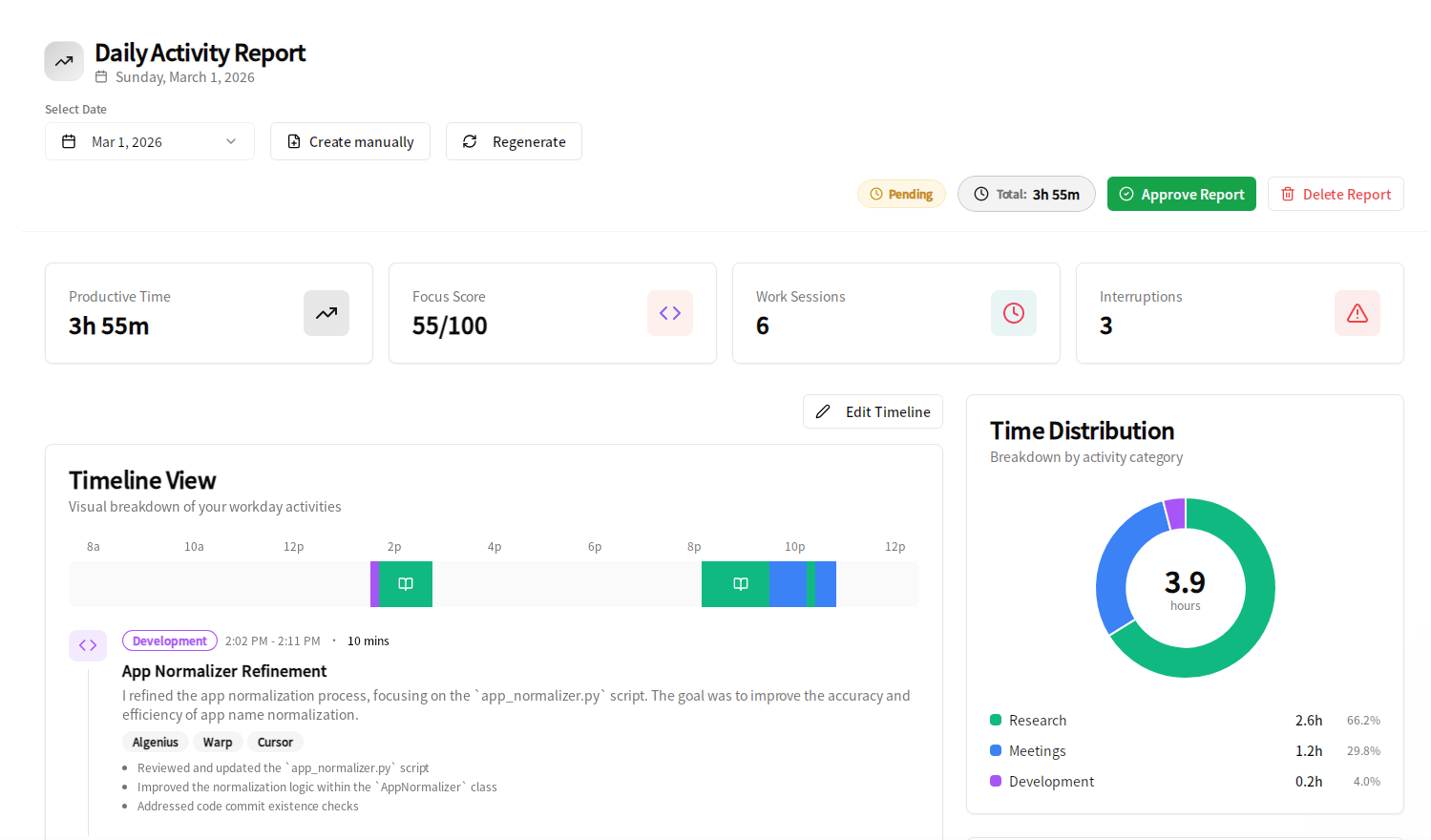
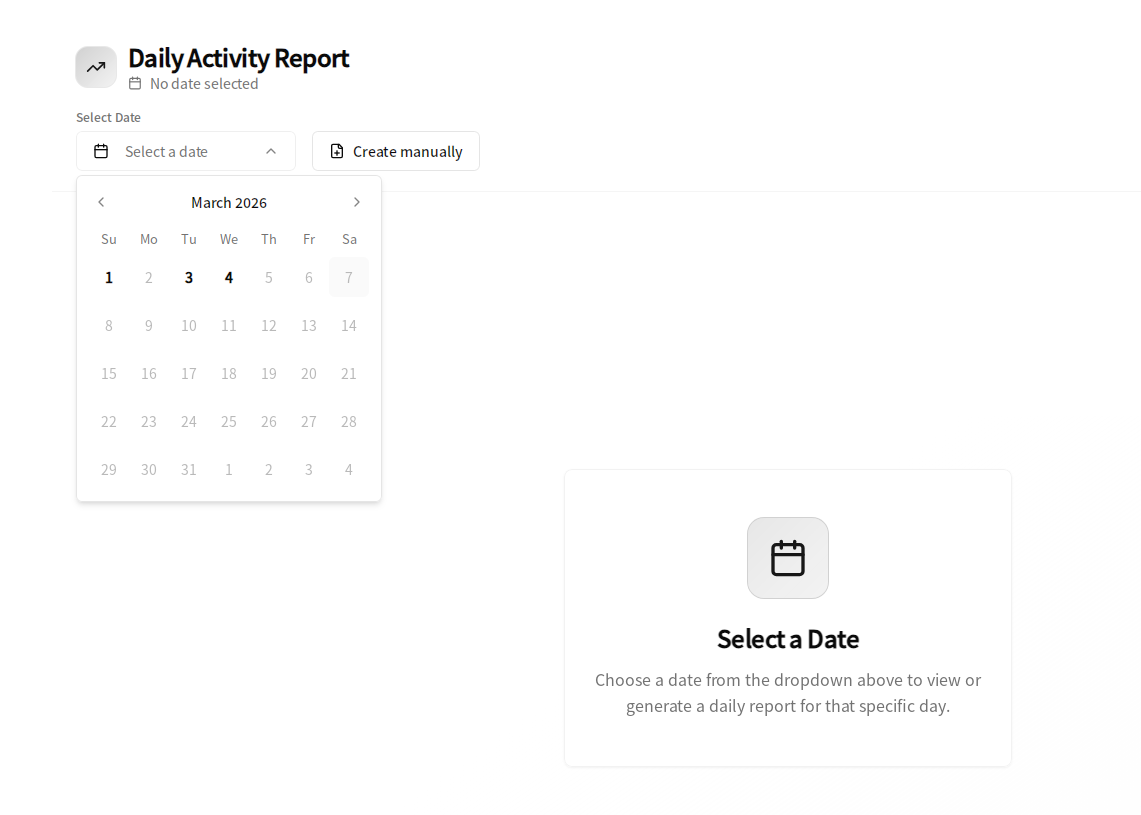
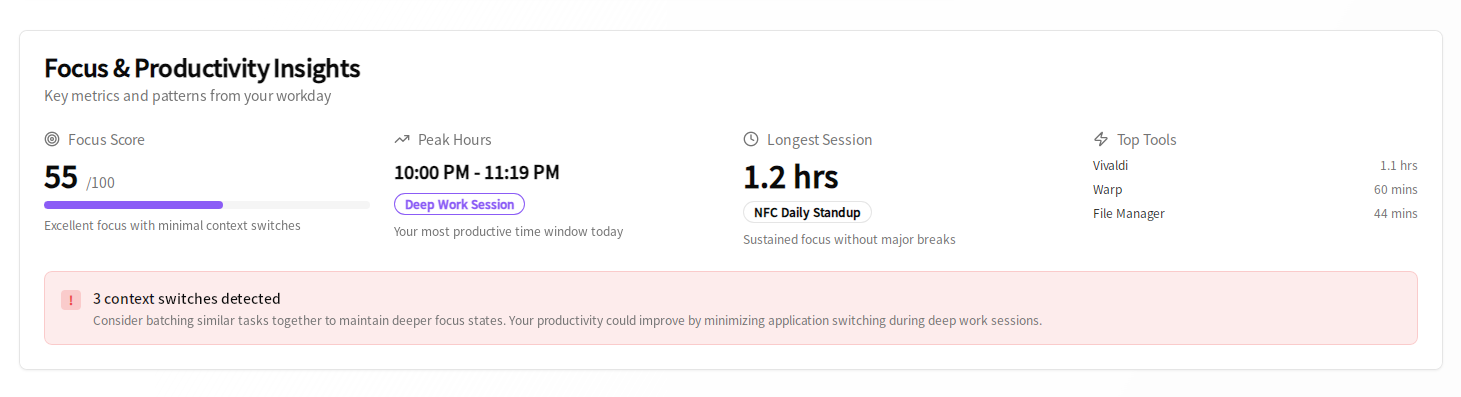
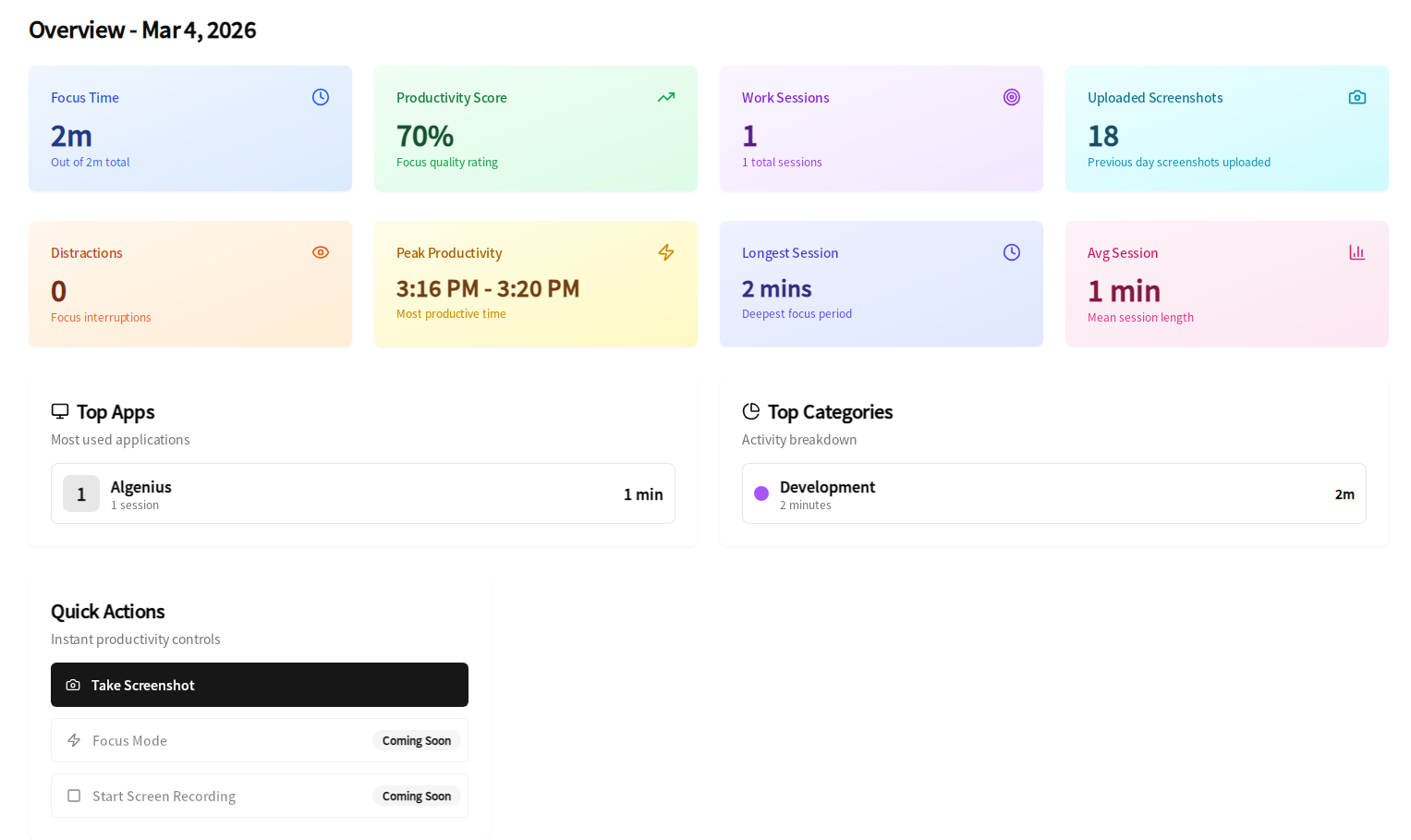
Manually logging your daily activity into spreadsheets or project tools is tedious—and you end up guessing what you did.
Algenius logs it automatically with AI and keeps you in full control of what goes into your reports.
Manually copying text from images is slow, error-prone, and tedious.
Algenius extracts text from screenshots and formats it nicely so you can copy and paste instantly to chats, docs, and anywhere else.
Pasting screenshots into spreadsheets or reports is clunky and often limited.
One-click copy to Google Sheets or Excel, no file juggling.
Capturing screenshots takes too many clicks or confusing shortcuts.
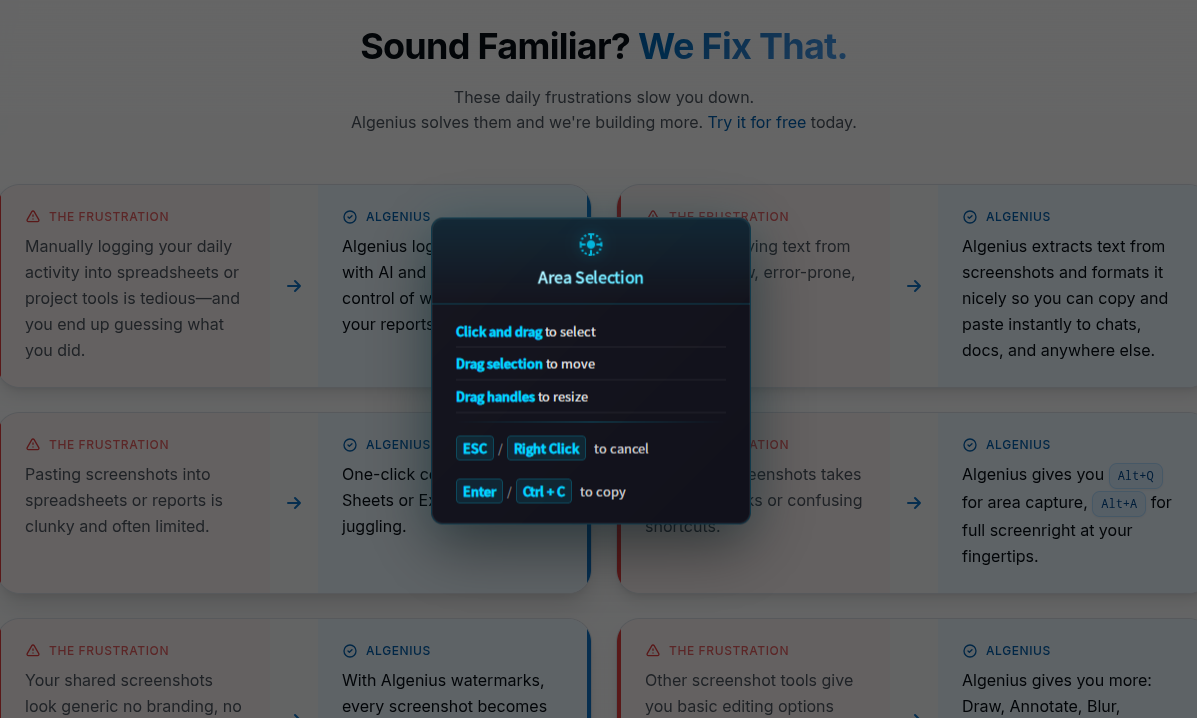
Algenius gives you Alt+Q for area capture, Alt+A for full screenright at your fingertips.
Your shared screenshots look generic no branding, no identity.
With Algenius watermarks, every screenshot becomes your brand. Flex on your team with professional branded screenshots.
Other screenshot tools give you basic editing options and that's it.
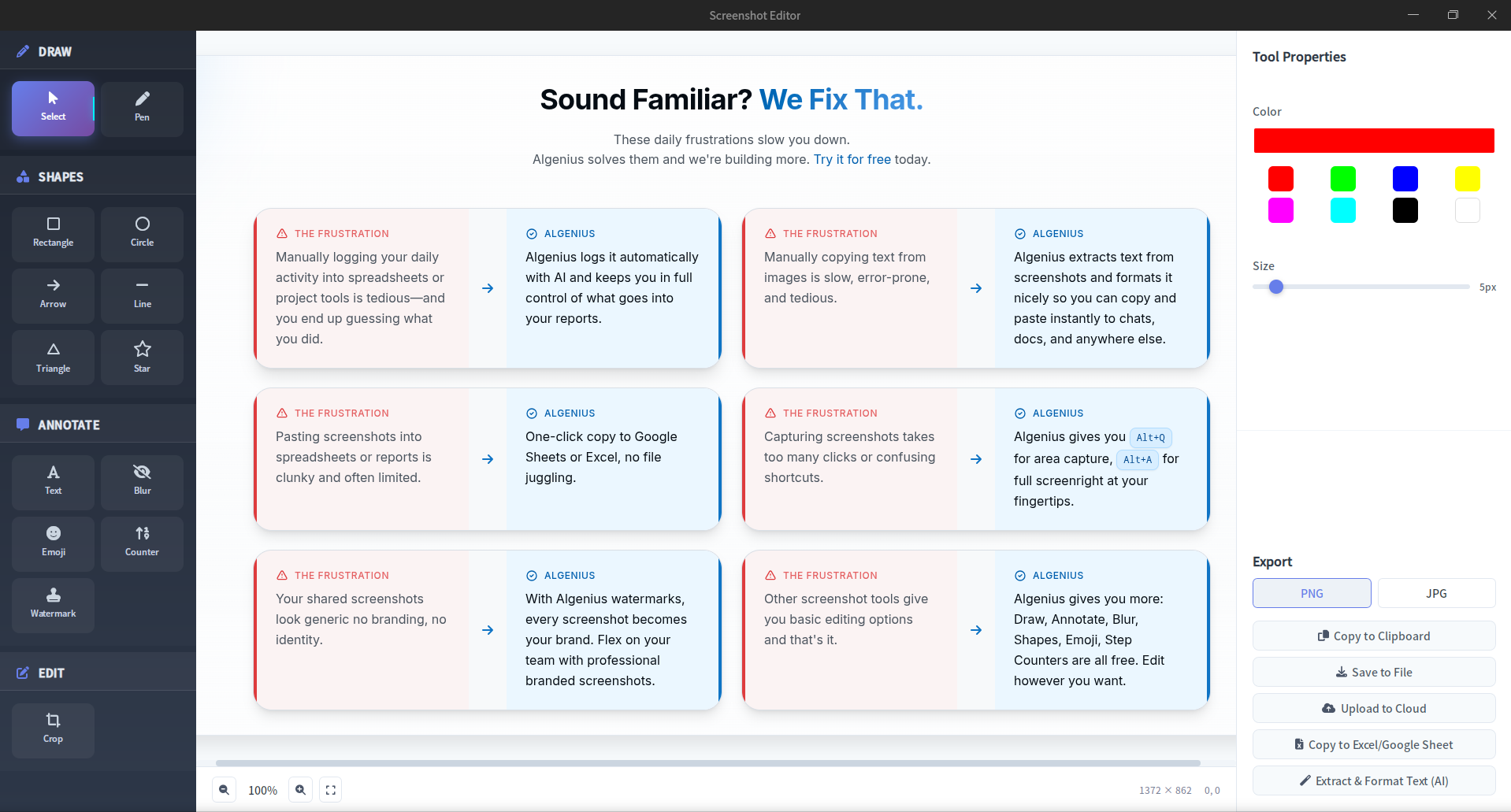
Algenius gives you more: Draw, Annotate, Blur, Shapes, Emoji, Step Counters are all free. Edit however you want.
Comparing screenshots for reviews or bug reports means juggling multiple images. Managers lose time tracking design changes. Testers can't easily show before and after. Developers send separate screenshots in PRs. Feedback gets lost when everyone scrolls back and forth.
Algenius Compare captures two screenshots and stitches them into one side-by-side image. Managers review mockups vs implementation in seconds. Testers document bugs with clear before and after. Developers show fixes in PRs. Share via clipboard, link, or paste into Excel and Google Sheets.
And we're just getting started
More solutions on the way
Automatic transcription, segmentation & more.
Capture your screen as you work and auto-generate step-by-step guides with annotations.
Everything You Need, Nothing You Don't
Algenius combines automatic daily activity logging, screenshot
capture, and
AI-powered features in one simple tool.
Daily Activity Logger
Automatic logging of your workday: tasks, duration, start times. AI generates, you review and edit. Full control.
Screenshot Capture & Editor
Full-screen or quick capture with a powerful editor. Alt+Q for quick, Alt+A for full. Fast, consistent, no manual logging.
Your Branding, Everywhere
Set your watermark once and every shared screenshot gets it automatically. Professional look without extra steps.
Google Sheets & Excel Copy
One-click copy so project managers can paste screenshots straight into Google Sheets or Excel. No file juggling.
AI Text Extraction
Extract and format text from any image video frames, shared screenshots, documents. Clean, formatted text in one click.
Compare Before & After
Capture two screenshots and Algenius stitches them into one side-by-side image. Perfect for design reviews, bug reports, and PR documentation. Managers compare mockups to implementation in seconds. Testers show before and after for regressions. Developers document UI changes without extra tools. Share via clipboard, link, or paste straight into Excel and Google Sheets.
How It Works
Get started in minutes. No complex setup, no learning curve.
Install
Download and install Algenius. It's plug-and-play no complex setup
Log Your Day & Capture Screenshots
Your workday is logged automatically in the background. Hit Alt+Q or Alt+A to capture screenshots whenever you need. Edit, add your branding, and share via clean links.
Review & Edit
At the end of your day, review the AI-generated daily activity log. Tweak, update, or remove anything your data, your control.
Ready to Work Smarter?
Join professionals who've simplified their daily activity tracking and screenshot workflow with Algenius.
Browser warning? Click Keep or Download anyway.
Windows: 2-step installation guide
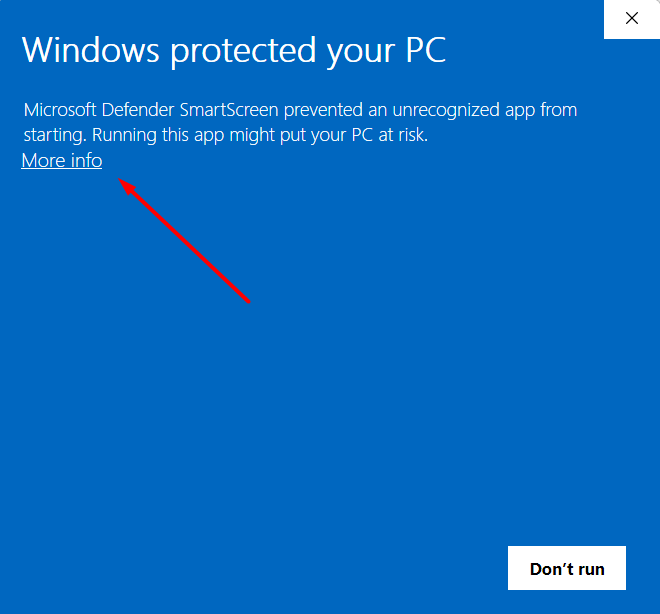
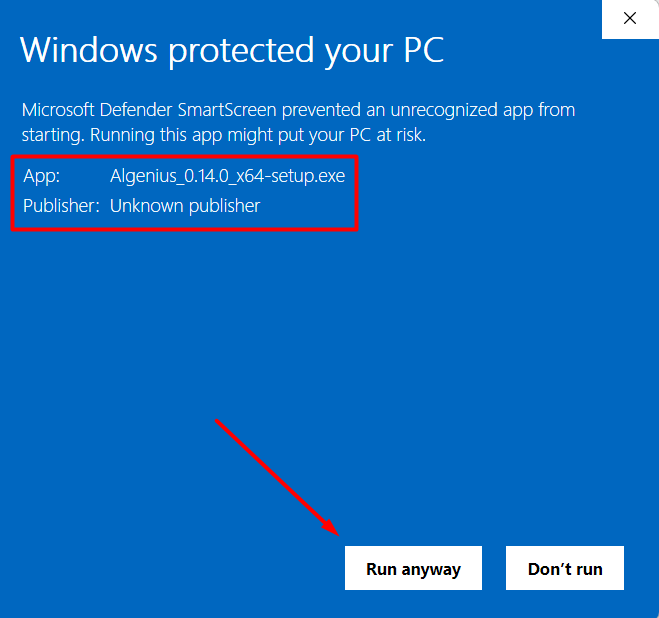
Windows shows this for unsigned apps. We're working on code signing to remove this step.
Lightning-Fast Shortcuts
Capture screenshots instantly without interrupting your workflow. No menus, no clicks — just press and capture.
Two keyboard shortcuts are all you need. Switch between area selection and full-screen capture in a fraction of a second.
Press Alt + Q to area capture